If you’ve spent any time with Jackett, you’ve probably run into the frustrating wall of Cloudflare protection. You go to add an indexer, test it, and get back a generic error or a timeout. The indexer isn’t down — it’s just sitting behind Cloudflare’s bot detection, and Jackett can’t get through on its own. That’s where FlareSolverr comes in.
FlareSolverr is a proxy server that spins up a headless browser to solve Cloudflare and DDoS-Guard challenges, then passes the response back to whatever requested it. When hooked into Jackett, it silently handles those challenges in the background so your indexers work like they should. It’s a simple addition to the stack but makes a big difference for sites that have tightened up their bot protection.
In this post, I’ll walk through deploying FlareSolverr via Docker Compose in Portainer and connecting it to an existing Jackett instance.
Prerequisites
This guide assumes you already have Jackett and Portainer up and running. If not, start here:
- Jackett – Indexer for Tracker Sites — How to deploy and configure Jackett in Docker
Deploying FlareSolverr
In Portainer, navigate to your environment, then go to Stacks and click Add stack. Give it a name like flaresolverr and paste the following into the web editor.
services:
  flaresolverr:
    image: ghcr.io/flaresolverr/flaresolverr:latest
    container_name: flaresolverr
    environment:
      - LOG_LEVEL=info
      - LOG_HTML=false
      - CAPTCHA_SOLVER=none
      - TZ=America/Los_Angeles
    ports:
      - "8191:8191"
    restart: unless-stopped
A few things worth noting here:
LOG_LEVEL—infois fine for normal use. Switch todebugif you’re troubleshooting a specific indexer.LOG_HTML— Disabled by default. Turning it on dumps the full HTML of solved pages into the logs, which is only useful when actively debugging.CAPTCHA_SOLVER— Left asnonebecause FlareSolverr handles Cloudflare’s JS challenges natively. A separate CAPTCHA solver is only needed for image-based CAPTCHAs, which most indexers don’t use.TZ— Set this to your local timezone.
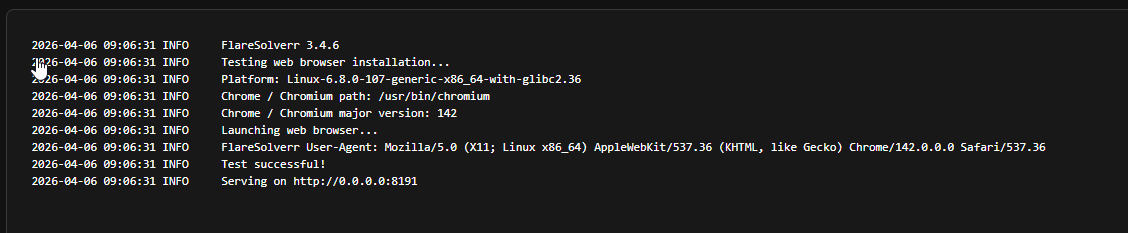
Click Deploy the stack. Portainer will pull the image and start the container. You can verify it’s running by checking the container logs — you should see something like:
INFO     FlareSolverr 3.x.x
INFO     Serving on http://0.0.0.0:8191
Connecting FlareSolverr to Jackett
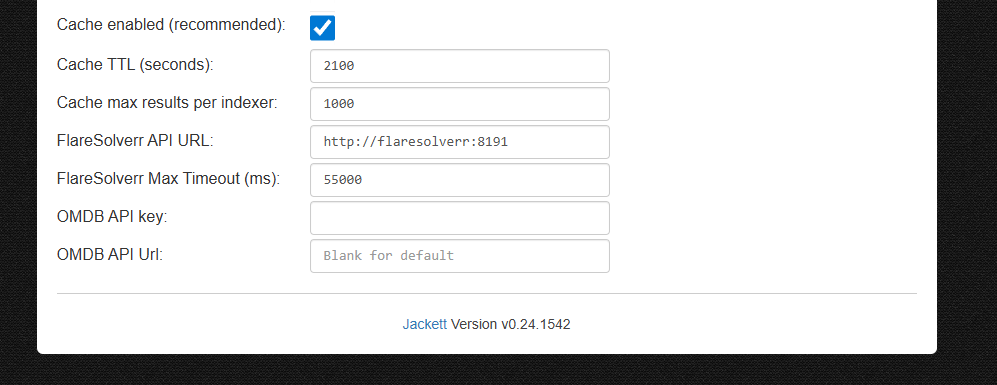
Open your Jackett web UI and go to Settings (the gear icon in the top right). Look for the FlareSolverr API URL field and enter:
http://flaresolverr:8191
If Jackett is running in a separate stack and the containers aren’t on the same Docker network, use your host’s IP instead:
http://YOUR_SERVER_IP:8191
Click Apply server settings. Jackett will save the value — there’s no connection test at this step, so don’t worry if nothing visibly changes.
Testing an Indexer
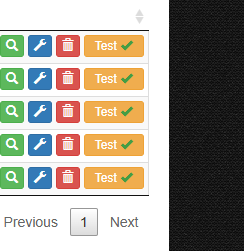
With FlareSolverr configured, go back to the Jackett indexer list and find one that was previously failing due to Cloudflare. Click the wrench icon to open its settings, then hit Test.
If everything is wired up correctly, the test should now pass. Jackett routes the request through FlareSolverr, the headless browser solves the Cloudflare challenge, and the response comes back clean.
Not every indexer that was failing will suddenly start working — FlareSolverr handles Cloudflare and DDoS-Guard specifically. If an indexer is down or has a different kind of protection, FlareSolverr won’t help with that.
Conclusion
FlareSolverr is one of those small additions that quietly fixes a real annoyance. Once it’s running and connected to Jackett, you stop thinking about it — indexers that used to fail just work. The setup is straightforward, the container is lightweight, and it doesn’t require any ongoing maintenance.
If you’re running Jackett and have indexers that have been unreliable lately, FlareSolverr is worth the five minutes it takes to deploy.