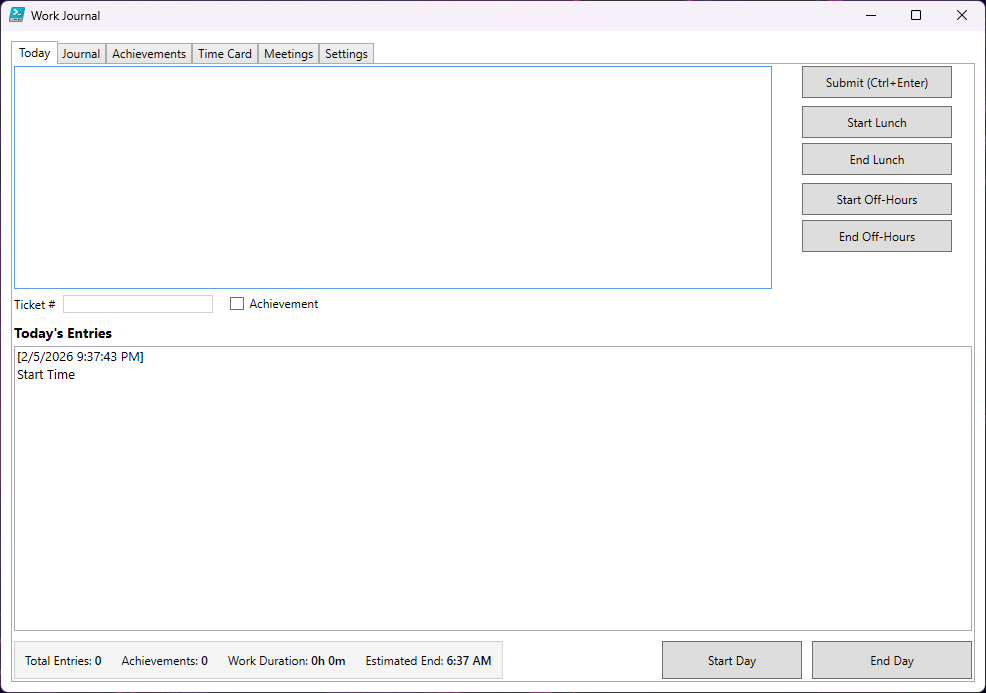
Transform How You Track Your Workday
Work Journal helps you document your workday, track time accurately, and maintain a searchable record of everything you accomplish — without the bloat of enterprise software.
Core Features
Daily Journaling
- Quick-entry logging with timestamps
- Flag achievements for easy review tracking
- Link entries to ticket numbers
- Real-time work duration and estimated end time
Time Tracking
- Automatic hour calculations
- Lunch and break tracking
- Off-hours work sessions
- Pay period time cards (monthly or bi-weekly)
Smart Reports
- Time cards for billing and payroll
- Achievement summaries for performance reviews
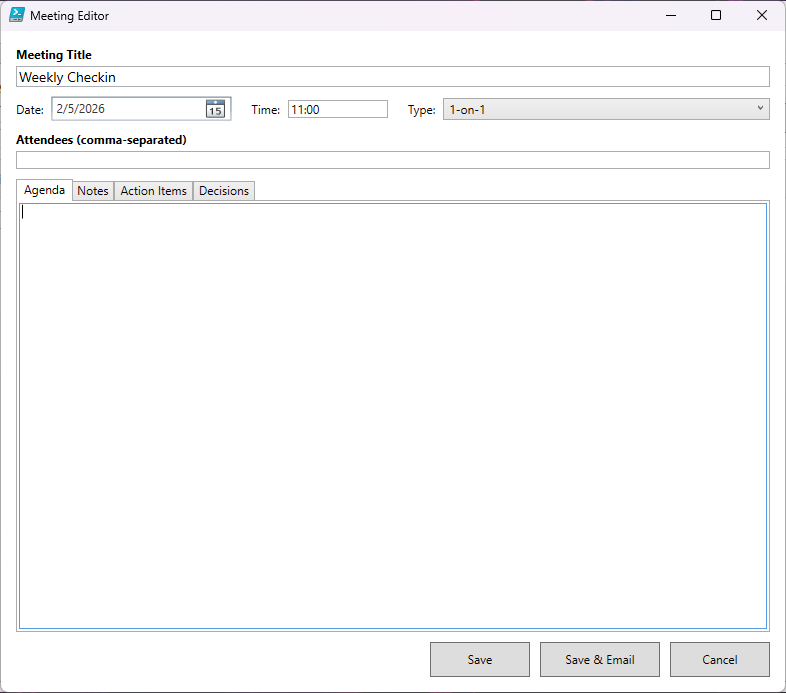
- Meeting notes with structured templates
- Full searchable work history
Automated Delivery
- Email daily summaries automatically
- Export to professional HTML reports
- Share time cards and achievements
- CC support for transparency
Why You’ll Love It
✓
Standalone Application — Single .exe file, no installation required
✓
No Cloud Required — Your data stays on your computer
✓
5-Second Entries — Don't interrupt your flow
✓
Intelligent Automation — Auto-start, auto-calculate, auto-send
✓
Review-Ready — Search achievements by date for performance reviews
✓
Bill Accurately — Detailed time cards with lunch/break tracking
✓
Meeting Memory — Never lose track of decisions and action items
✓
Portable — Run from USB or network share
Perfect For
- IT professionals tracking tickets and troubleshooting
- Consultants who bill by the hour
- Remote workers maintaining accountability
- Anyone who needs work documentation for reviews or audits
Technical Details
| Detail | Info |
|---|---|
| Format | Standalone Windows executable (.exe) |
| Installation | None required — just run |
| Storage | Local CSV files in application directory |
| Requirements | Windows 10 or later |
| Any SMTP server (optional) | |
| Portability | Run from desktop, USB, or network drive |
Get Started
- Download WorkJournal.zip
- Extract to the folder where you want your data stored
- Double-click to run
- Enter your name and company (first launch only)
- Start tracking
No installation. No setup wizard. Just run and go.
Licensing
Work Journal is provided as-is for personal or professional use. CHNS is not responsible for support of this product — use at your own risk.
Release Notes
v1.1 — Feb 13, 2026
Additions
- Lunch Timer: Now when starting lunch, it pops up a countdown timer showing how much lunch you have left
- Break Timer: Track your break time with the new “Start Break” button. Countdown timer with estimated end time adjustment if you go over
- Standup tab: Similar to the Meetings tab, here you can document what you plan to work on that day. Also tracks the location you are working that day and adds a journal entry when saved
- When you save a new meeting for the first time, it now adds a journal entry with the Meeting Name and Start Time
- On the Meetings tab, added a meeting “Type” dropdown to filter just those types of meetings
- “Default From Date” for the Achievements tab (“Month to date”, “Quarter to date”, “Year to date”)
- “Default From Date” for the Meetings tab (“Month to date”, “Quarter to date”, “Year to date”)
- EnsureDefaults method: this method populates the UserSettings.xml file with any default settings if they are missing on launch. This makes upgrading an existing UserSettings.xml file possible
Fixes
- Changed the order of the tabs so Meetings comes before Time Card
- On Time Card tab, swapped the “Load Time Card” and “Current Pay Period” buttons
- On Meetings tab, swapped the “Load Meetings” and “New Meeting” buttons
- When clicking “End Day”, Backup would fail due to a variable out of scope
- Replaced all “| Out-Null” with “[void]” and “> $null” to increase performance and follow best practices
- Added Type Declarations to All Functions to follow best practices
- Changed all assignments from “$PSScriptRoot” to “$script:ScriptRoot”
- Renamed all variables with unapproved verbs to follow best practices
- Renamed two variables to avoid conflicts with automatic variables
- Removed three “$result” variables that weren’t used
- Rearranged the Settings tab
- Renamed “Pay Period” settings to “Time Card”
- Changed expected lunch duration to minutes instead of time
- Removed End Lunch button from Today tab
v1.0 — Feb 5, 2026
Core Journaling
- Submit journal entries with timestamps (Ctrl+Enter shortcut)
- Mark entries as achievements with checkbox
- Ticket number tracking with configurable URL templates
- Real-time entry statistics (total entries, achievements, work duration, estimated end time)
Time Tracking
- Start/End Day buttons with automatic time stamping
- Lunch break tracking (Start Lunch / End Lunch)
- Off-hours work tracking with separate session logging
- Automatic start time detection (optional)
- Work duration calculation (excludes lunch time)
- Estimated end time based on expected hours
Journal Tab
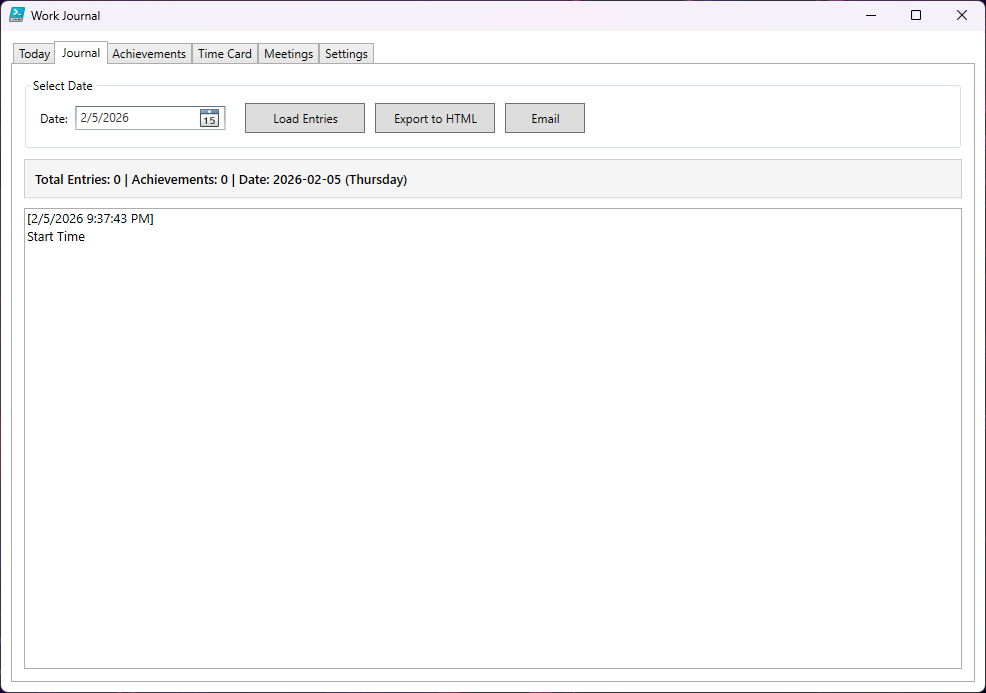
- View all entries for any selected date
- Entry count and achievement statistics
- Export journal to HTML
- Email journal entries with custom recipients
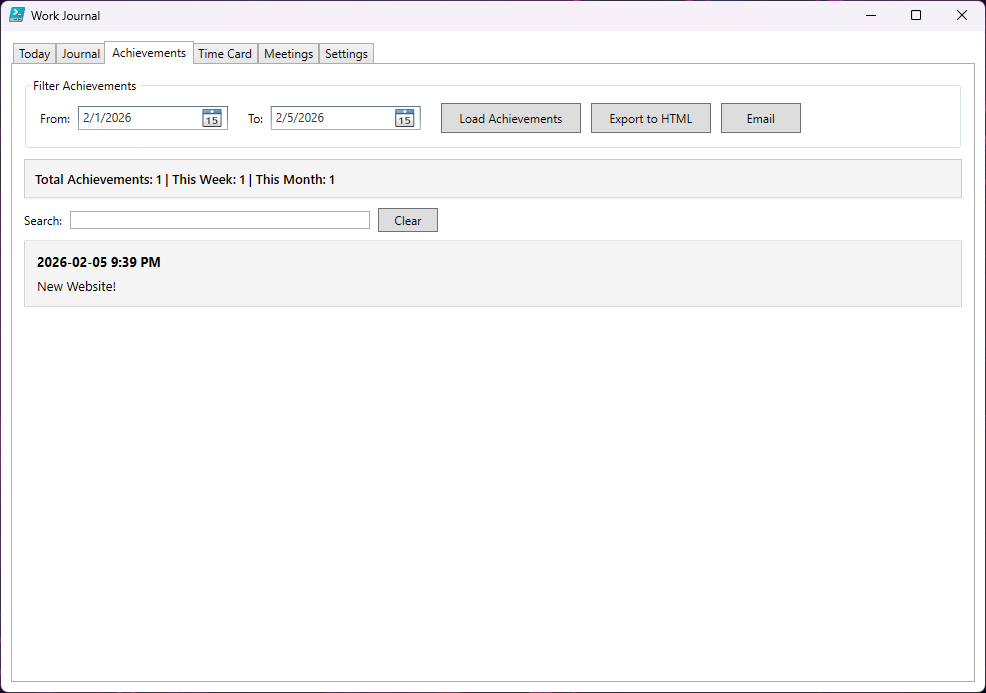
Achievements Tab
- Filter achievements by date range
- Search achievements by text or ticket number
- Statistics: Total, This Week, This Month
- Export achievements to HTML
- Email achievements report
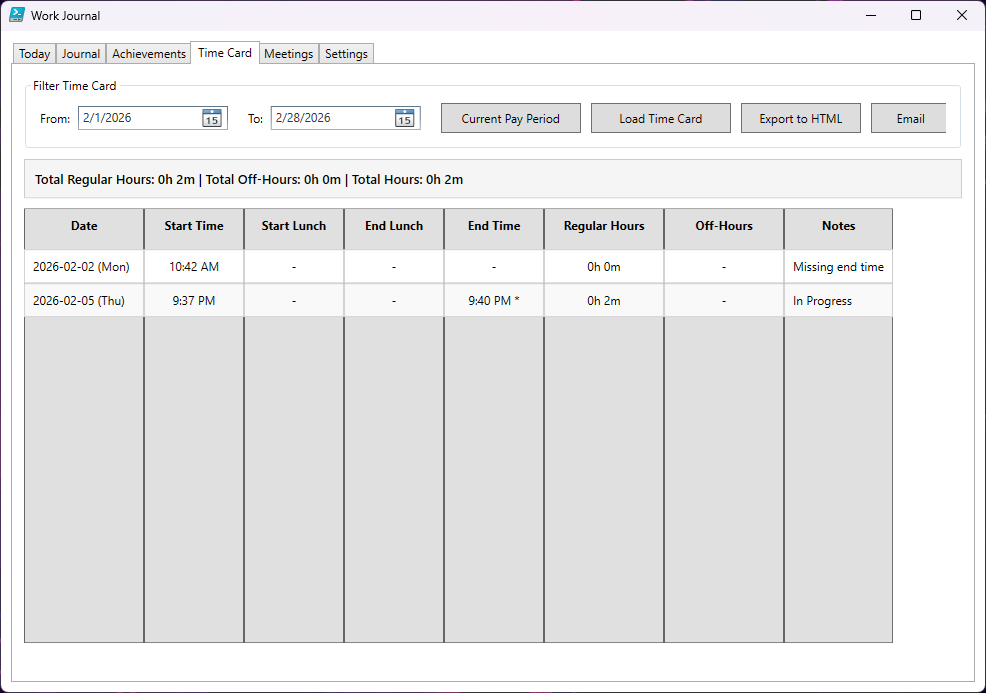
Time Card Tab
- Daily breakdown table (date, times, hours, notes)
- Separate regular hours and off-hours tracking
- Pay period support (Monthly or Bi-Weekly)
- “Current Pay Period” quick-load button
- Export time card to HTML
- Email time card report
- In-progress day indicator
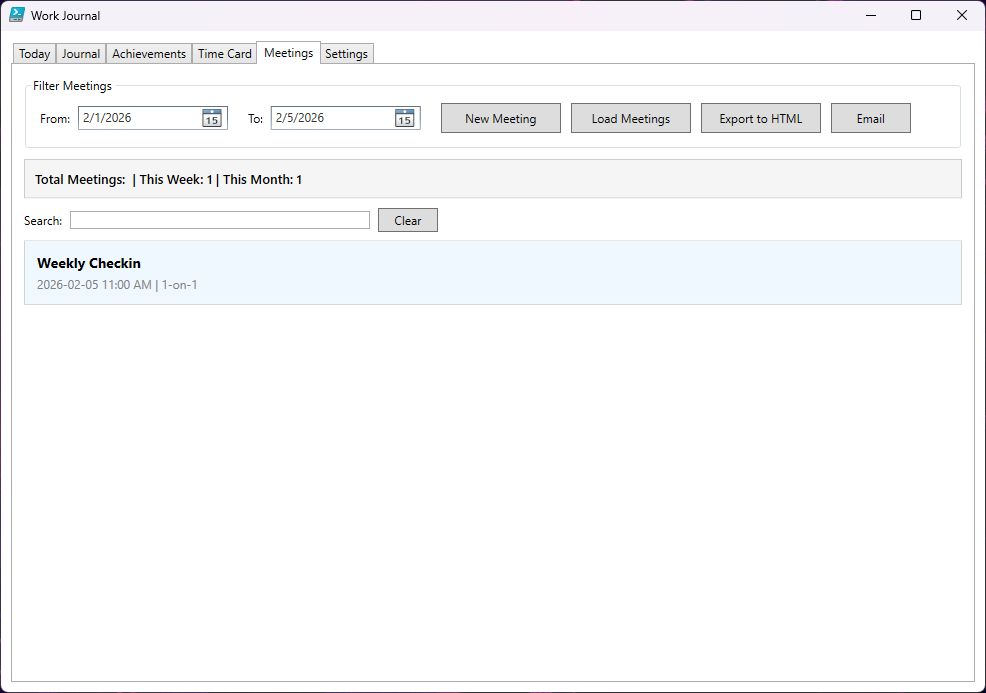
Meetings Tab
- Create/edit meeting notes with structured format
- Meeting metadata: Title, Date/Time, Attendees, Type
- Four content sections: Agenda, Notes, Action Items, Decisions
- Markdown storage with YAML frontmatter
- Filter meetings by date range
- Search meetings by title, attendees, or content
- Preview cards with quick access
- Export meetings to HTML
- Email meetings report
- “Save & Email” option
Email Features
- End-of-day summary emails with work statistics
- Off-hours session summary emails (automatic)
- Custom recipient selection per email (To/CC override)
- Default email settings with optional override
- HTML-formatted emails with user/company headers
- Clickable ticket links in emails
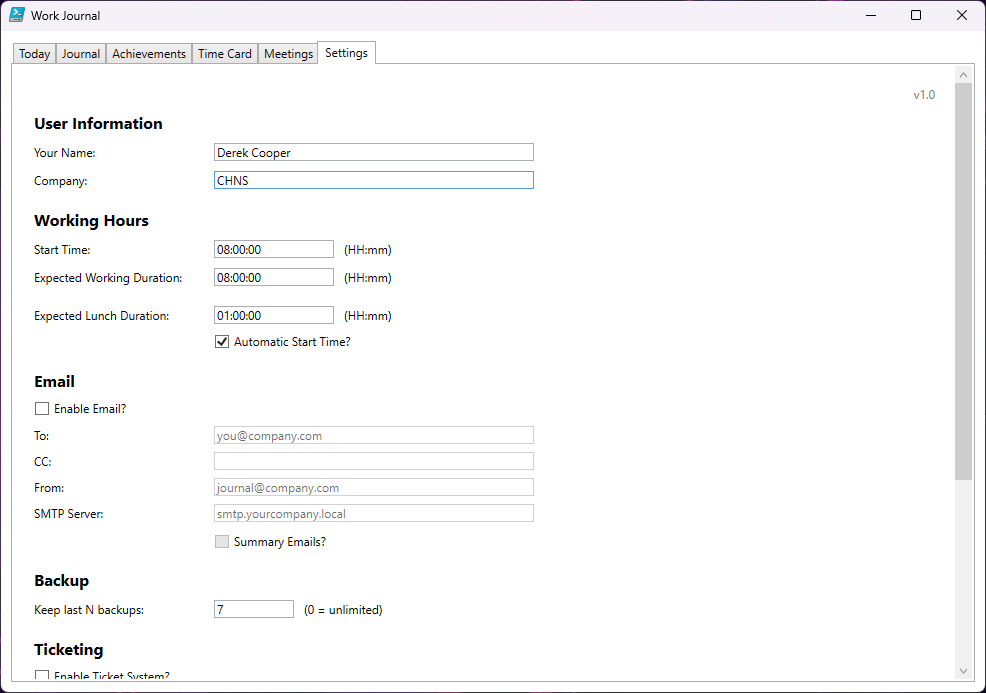
Settings & Configuration
- User name and company name
- Work start time and expected duration
- Expected lunch duration
- Automatic start time (optional)
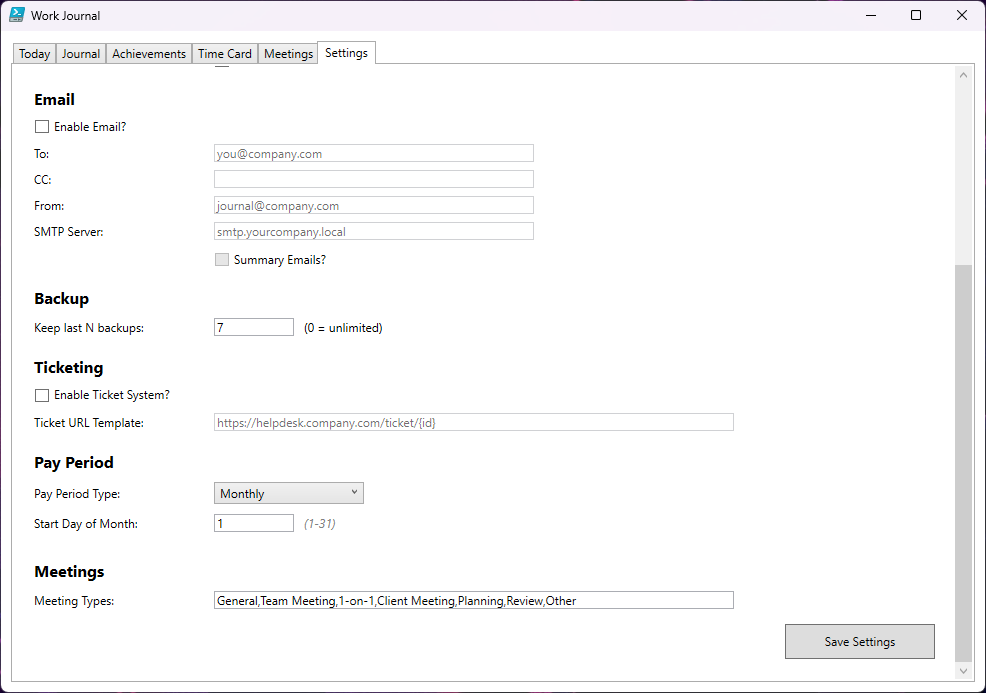
- Email configuration (To, CC, From, SMTP Server)
- Summary email toggle
- Backup retention (keep last N backups)
- Ticket system URL template
- Pay period type (Monthly day or Bi-Weekly cycle)
- Customizable meeting types (comma-separated)
Data Management
- CSV storage with monthly files
- Automatic daily backups on end-of-day
- Configurable backup pruning
- Markdown storage for meetings
- Entry caching for performance (2-second cache)
User Experience
- Multi-tab interface (Today, Journal, Achievements, Time Card, Meetings, Settings)
- User info prompt on first launch
- Real-time statistics updates (30-second refresh)
- Search functionality with clear buttons
- Date range pickers with intelligent defaults
- Export to HTML with optional file open
- STA mode enforcement for WPF compatibility